The short version
When your team is the referee team for a game, one of you keeps score on your own phone. The scoreboard is already made for you. You sign in, find the game, tap it and start scoring.
What you need
- Your own phone or tablet with the free VBallScore app (get the app). On a computer, a web browser at vballscore.com works too.
- A VBallScore account that uses the same e-mail address your tournament director has for you on your team's roster. That e-mail is how the app knows you are allowed to score. If you are not sure which e-mail the director has, ask before game day.
You do not need the director's phone or the director's account. You never sign in as anyone but yourself.
1Sign in
Open VBallScore. Tap the circle in the top-right corner and choose Sign in. Use the e-mail address that is on your team's roster.
2Open your tournament
Scan the tournament's QR code, or tap the link your director sent.
3Tap Games and find your game
Tap Games. Every game shows its time, the two teams playing, and a line that starts with Refs:. Find the game where Refs: is your team. That is the game you score.
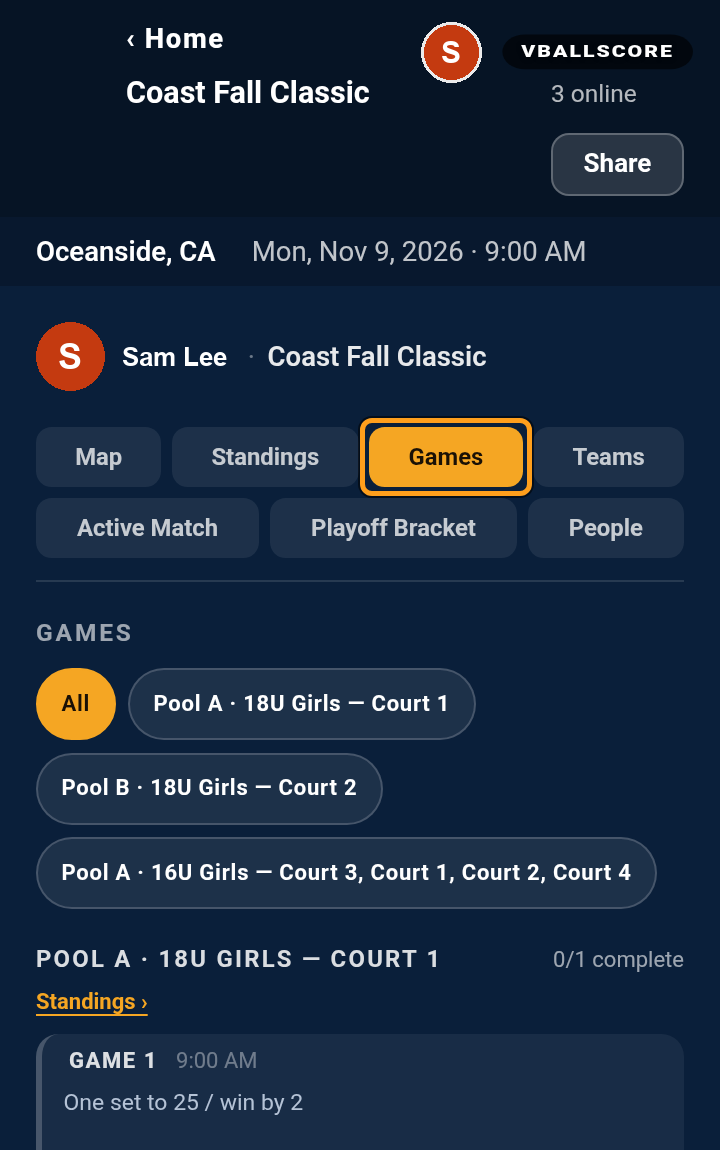
4Tap the game that says "Score this game"
Look at the bottom of the game's card for the words Score this game. They are small. Tap the card.
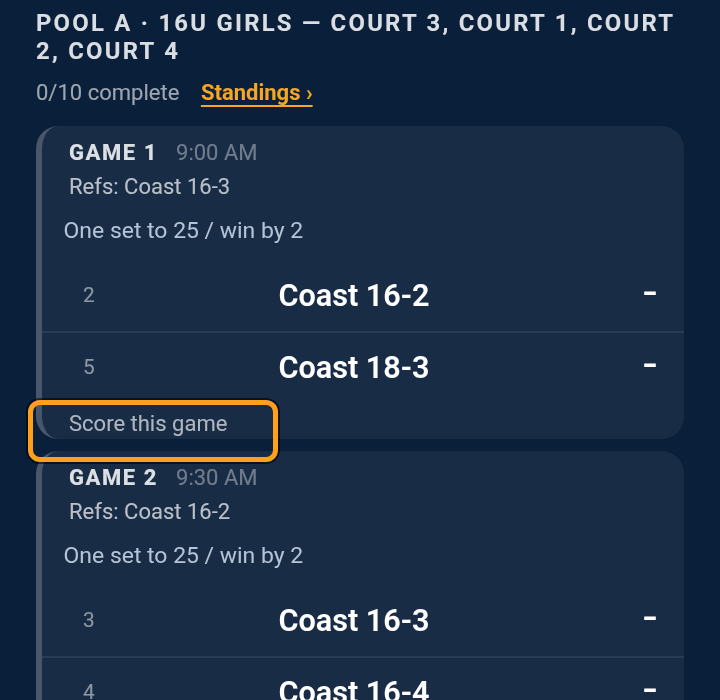
The scoreboard opens with both teams already filled in.
5Keep score
Turn your phone sideways. Now you see the full scoring screen with both team names.
- Tap + on a team's side every time that team wins a point.
- Made a mistake? Tap Undo, or tap − to take a point away.
- Between sets, tap End this set, then End set. Skip this if your game is one set.
- When the game is over, press and hold End match for about two seconds, then tap End match to confirm. That sends in the final result. A quick tap on End match does nothing; you have to hold it.
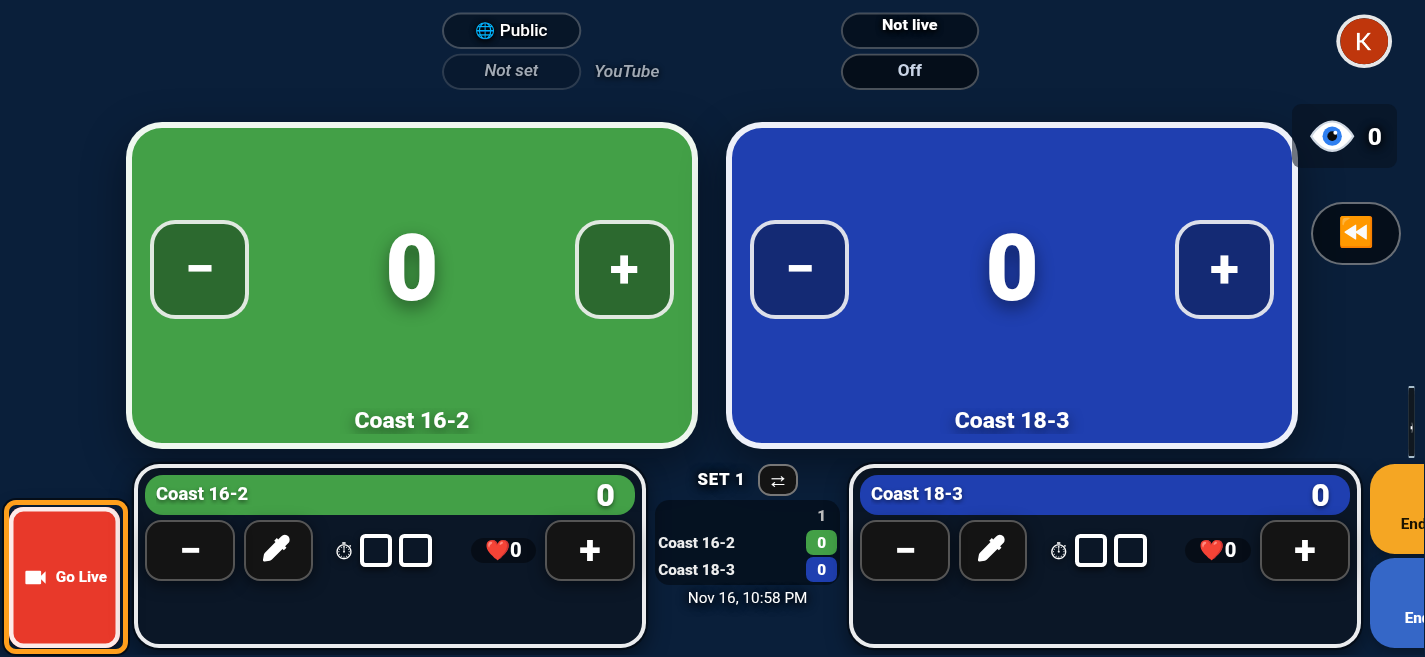
Everyone watching the tournament sees the score change as you tap. The result goes into the standings by itself.
6Turn on video (optional)
You do not have to do this. Scoring works without video.
To show the game on video, tap the red Go Live button on the scoring screen and pick one:
- Free. Your phone sends video to people watching. Best for a few people nearby.
- Use my Family time or Use my Pro time. Better quality video. You only see this if your own account has streaming time.
- Add more cameras. A second phone becomes the camera while you keep scoring on yours.
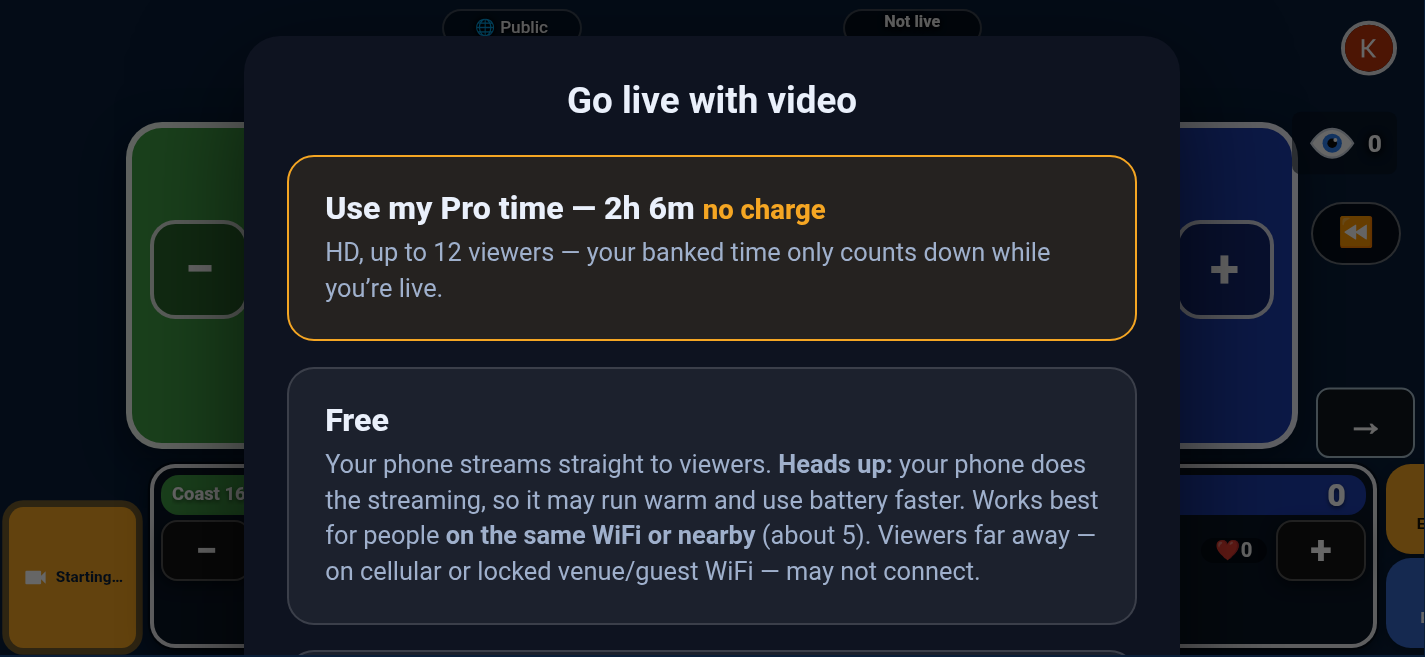
Video runs on your own account. It never uses the director's account.
If something goes wrong
| What you see | What to do |
|---|---|
| There is no "Score this game" on your game | Check that you are signed in: your picture or initial shows in the top-right circle. Check that you signed in with the e-mail on your team's roster. Check that the Refs: line names your team. If all three are right, ask the director. |
| The screen says Match Ended when you open the game | Tap Resume scoring if it is offered. It is offered for ten minutes after a game ends. If it is not there, tell the director. |
| Someone else is already scoring the game | Open the game, tap Resume scoring and confirm. The score is kept. |
| Your phone dies, or you have to leave | A teammate whose e-mail is on the roster signs in on their phone, opens the same game and carries on. The score is kept. |
| You gave a point to the wrong team | Tap Undo, or tap − on that team's side. |
| The game says the tournament has ended | Tell the director. Only the director can reopen it. |